
CF
Craig Federighi
Locating
Cross-referencing over 67 channels for appearances
Craig Federighi
Cross-referencing over 67 channels for appearances
Craig Federighi
Arcmira media summary
Browse Craig Federighi's interviews, podcast appearances & video clips — 11 indexed from Angietutorials & Artie Milano, updated Jul 2025.
Interviewing Apple's Craig Federighi on WWDC25 & everything OS26
Craig Federighi briefly panics before recalibrating composure
Apple Senior VP of Software Engineering, guest on the episode discussing iOS and AI development.
So each of us girls in the iPad space, specifically the digital planning space, traveled out to Apple Park to chat with Craig Federiki, senior VP of software engineering at Apple to discuss iPad OS 26 and what it means for iPad users like you and me. Hi Craig, we had a couple of questions for you. All right, we wanted to know before we get into them though, what was your favorite announcement? Well, I I have to say it's of course the new design. I mean it it it uh we've been working very hard on it for a long time and it all came together I think in a way that uh exceeded our expectations you know to you don't get the opportunity uh very often to in fact we've never done it where it's touches every one of our devices all at once it's uh it's a huge year so that was really exciting to be able to share that it's beautiful so something a lot of people have been talking about there's we love the iPad we are huge iPad fans and there's lots of fun updates to between the menu bar, the new multitasking, we're kind of seeing some similarities between iPad OS and Mac OS kind of evolving, but the iPad is definitely still unique. So, how do you kind of see the iPad evolving alongside the Mac? Yeah, we are we are hugely protective of iPad. I mean, we're we're we're iPad lovers. Uh I I certainly am. And there is something special about the iPad. I mean it is it's the ultimate touch device you know it actually was the experience that internally preceded work on iPhone like first it was like can we build iPad and then it was like oh this phone thing might be kind of a good idea too so we did phone came back to iPad but because iPad is it's like you're just holding a touch experience a piece of glass in your hand that can do anything and it has such simplicity such interactivity uh we don't want to we don't want to lose that the Mac design was optimized for a precise pointer and a keyboard and it's great And we don't want to we also want to protect the Mac. The Mac gets to be the Mac. The iPad gets to be the iPad. At the same time, as people like us who love iPads start pushing it further and further, you know, we want some of those things within reach. You know, not necessarily all the time. I'm fine sometimes on iPad kicking back with something full screen and working with like that, but then okay, I want to dive in and I want to do something with multiple windows. We want to give that flexibility to have all the the the kind of simplicity of iPad but also do more at at sometimes while preserving iPad's touch. Uh but what we have done more this year than I think at any time in the past is say you know if there is something where the way it's done on Mac is makes a ton of sense on iPad. Let's not be different just to be different. You know when the window controls they we had three dots up in the top middle of the the the window. There was actually a good reason back in the day why we put them there in iPad, but we realized like gosh, if we make them the three the stoplight colors on the Mac and put them on the upper left hand side of the window, like they're kind of right where you expect them to be. And boy, that's actually, you know, a little bit easier. We did that thing with um accessing key equivalents where it was like if you hold down the control or the command key that they sort of appear in this HUD. We realized like, you know, we had a better answer for that since 1984 and that was the menu bar on the Mac. Um why don't we do that? And so when it makes sense, we draw from the Mac. And honestly, when it makes sense and something's great on iPad, we bring it from iPad to the Mac, but still let the platforms be, you know, their own their own unique thing. It seems like this year Apple has really taken in user feedback for iPad especially. Sure. So I'm curious how you balance user feedback, what users want out of an iPad while also still remaining true to Apple's overall vision and design philosophy for iPad. Well, we we are we are users ourselves, I guess, which is I got to say one of the the big treats at uh working at Apple is that we get to build products that that we love, that we use, that our friends and family use. And by the way, they give us lots of feedback directly as well, I'm sure. Uh and so, uh we hear that loud and clear. Um you know, it's we we do have a lot of responsibility to to think ahead about about these platforms and to think about the range of users. So, you know, the thing is we'll get passionate feedback from someone who will say, I'm a superpro and here's the thing I want. And we'll also get feedback with someone who says, you know, my uh my grandfather has been able to use iPad as their first device. You know, they never got into computing and now this is open to them and it's so important to them that we can communicate with them on FaceTime and that they don't ever get confused or lost. And so as we get this feedback, we have to kind of integrate it all and think about this this range of users. Um it's a great responsibility. It's super motivating to to to get it right, you know, and that's, you know, if you look at iPad, we actually have even a control when you set it up now that says, do you want single window mode because maybe that's going to be simpler for you, you can't accidentally find yourself in a, you know, multi-wind situation or do you want to multitasking? And that's really inspired by recognizing just the the breadth of users that we have for iPad. Amazing. And I know I love the iPad mini and everyone kind of has a favorite, but we've never seen multitasking come to this level to an iPad this small. How do you see people using this in the real world? Well, the iPad mini has a uh a cult following. I mean there are people for whom it is uh and and iPad mini users are also uh ones who do you know want to push it in unusual directions sometimes and I I I got to admit when we first did the multi-wind experience with stage manager years ago we kind of thought well who's you know is an iPad mini user going to really want to do that turned out the answer was yes yes they did and so we didn't want to hold back we wanted we wanted to provide uh provide the option because I think for Some people honestly like I I'm uh you I'm a heavy user of the uh 11in iPad. I I have a I have a I have them. I have all of them. But but the 11 is this like per for me the perfect combination of uh you know carry it anywhere kickback but enough that I have a a you know full-size keyboard actually I can work with um and I run it in the higher density mode so I can see more. And with that you can get a lot done in a pretty small space. And with the mini I think that's also true you know depending on how you use it you can get a lot done in a small space. So, we're excited to give people the tools that that they can do that now that you can put your windows anywhere. You can also kind of slide a window part way off the screen, bring it back if you want to work on it. So, I I think uh many users will find a way. Yeah. Oh, they will. We're very excited. And we love journaling on the iPad. So, we're really excited. You guys kind of snuck in that journal is now coming to the iPad, but we didn't get too much details about that. So, how can you kind of like give us a glimpse at like how that looks especially using the Apple Pencil? Is it going to be kind of like the workflow in notes or free form? Yeah. Well, let me say first that our when we released the journal app for iPhone, uh, one the biggest single piece of feedback we got was people saying, "Hey, can you please bring it to iPad?" Because I think when people want to kick back and be reflective, often it is with their iPads. Yes. uh and so uh we have we were very excited to be able to bring it uh to the iPad and also one of the important things we did is we wanted the two to work together well because as you know iPad uh or on uh journal on the iPhone has the option of noticing uh places you've been and things like that to inspire you with journal entries. you aren't necessarily bringing your iPad to all of those places. And yet, when you get home and it's time to journal, right, you'd like to have that as part of your prompt to say, "Hey, we noticed you went here, here, and here. You spent time with these people. Maybe you journal about it." And so, we worked on the synchronization where your phone and iPad can communicate to each other privately, you know, in a in a way that protects your privacy, um, but still have, uh, your iPad be able to give you the helpful suggestions that are informed by where you were and what you did with your your iPhone. But then you have this bigger canvas on the iPad which is great to see all the photos you may want to include or not. And great for using pencil, right? If you want to and and many people do want to uh use that as a way of having a really personal journal entry. Uh and so uh we brought that all together and of course you can use your keyboard as well. So I I think it's now the the ultimate journaling uh solution on iPad. Excited to try it. Yeah. Excited to have you try it. Cool. And last question for you is just what's your ideal? You kind of teased your ideal iPad setup, but what is your ideal? Are you fully 11 in or do you like bigger size? Like what's your ideal setup? Well, it is a I am a m as I said a multiipad user. So, I guess my my ideal setup involves uh the 11in iPad, but then also uh I've I've got the uh the larger iPad, which I use in a lot of cases. I often actually will be have an iPad sitting next to a Mac and use uh universal control. I'm moving the cursor across them. I've even set them up like one on top of of the other. Right. So I have uh which is great. Sometimes if I'm doing a a call, I might have my iPad up here on the call. I've got my Mac down here. I put the charger between them. Uh I hook them up with uh with an external monitor. So I don't know. The thing about the iPad is it's just incredibly versatile. And it it begs you to pick it up, take you with it, and use it however it would fit in any place. I mean, you can prop it up here, put it next to this, do that. And the fact you can plug it into anything or use it wirelessly between different things, I think really encourages having it adapt to whatever you're doing. And so, it's almost no single setup with iPad. The thing is, it just fits in wherever wherever I am. But wherever I am, there's there's an iPad. Not I think we can all Well, it was wonderful chatting with you, Craig. Yeah. Wonderful to meet you all. Thank you for answering our questions. All right. Thank you. All right. And click. That was great. Yeah.
Craig Federighi on iPadOS 26 and why there is no macOS for iPad
Arcmira tracks 11 indexed media appearances or mentions for Craig Federighi, tied to source videos, channels, and transcript-derived context.
Arcmira uses indexed YouTube videos and transcripts. Representative source evidence on this page includes "Interviewing Apple's Craig Federighi on WWDC25 & everything OS26" with transcript-derived context and links when available.
53
Mentions
6.0M
Views
The trendline is visible, but the dated evidence behind Craig Federighi is in the premium layer.

"Apple's head of software, mentioned regarding WWDC appearances."

"Referenced as 'Craig' at Apple who reviews every line of an iPhone release; not present."

"Apple executive mentioned as a potential CEO candidate from the software side."
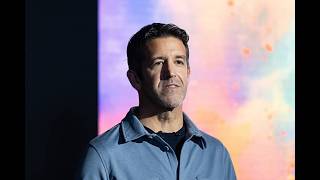
"Apple Software Engineering Chief; mentioned as someone who does not want the CEO role."

"Apple executive mentioned as the leader whom AI teams report to."
Keep exploring this media timeline with a larger free preview.
Keep exploring this media timeline with a larger free preview.
Keep exploring this media timeline with a larger free preview.
Keep exploring this media timeline with a larger free preview.
Keep exploring this media timeline with a larger free preview.
Keep exploring this media timeline with a larger free preview.
Keep exploring this media timeline with a larger free preview.
Keep exploring this media timeline with a larger free preview.
Keep exploring this media timeline with a larger free preview.
Keep exploring this media timeline with a larger free preview.
Keep exploring this media timeline with a larger free preview.
Keep exploring this media timeline with a larger free preview.
Keep exploring this media timeline with a larger free preview.
Keep exploring this media timeline with a larger free preview.
Keep exploring this media timeline with a larger free preview.
Recent intelligence available: create a free account to unlock a fresher media timeline.